Posts

Substance Designer snow tutorial

Image
Back at it on another Substance Designer tutorial, source here .

How to make an Houdini

Image
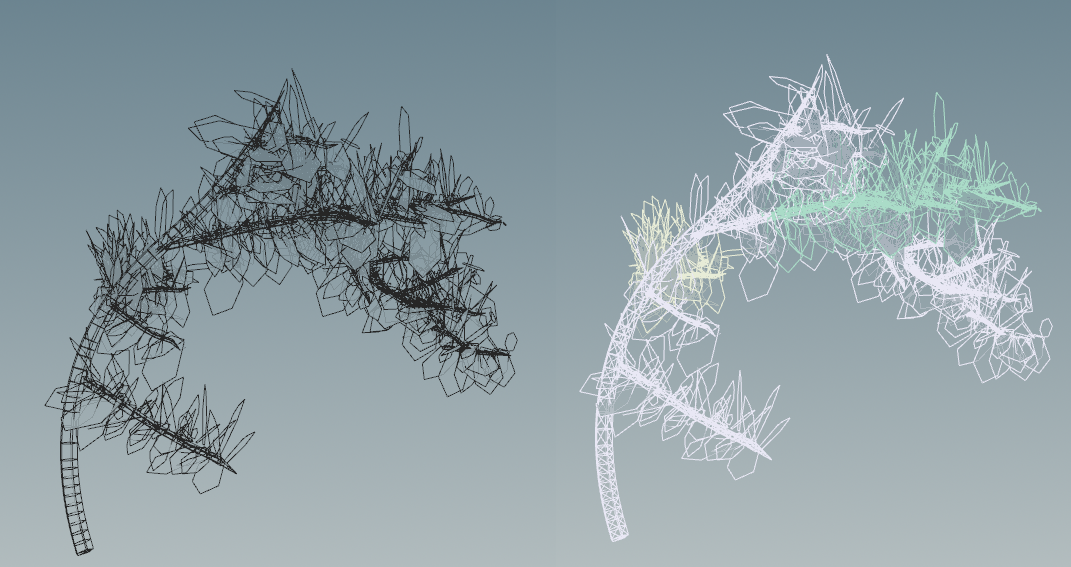
Following is based on a true story but with construed example data and production details to not stir the feelings of my judicial overlords.  This is a Houdini tutorial, topic being "Tree fracturing for games". The scenario is your job is making tools to make artistic people's life easier. One day you're given a mesh, it consists of a cluster of polygons hovering in space, no recollection of each other. And yet, you clearly see it holds a structure- the branches belongs to the trunk, the leafs belong to the branches. It's almost trivial. So why is it so hard to tell them to just clumpify? Is that a node?  before and after There's piles of books about vectors and the compilable struct products and who am I to add to that? With time I've also come to believe process is an underrated so I thought I take a stab at capturing that.  1. Preparation Clean your desk. Throw all screens out but one. Feed your fish. Buy furniture from Bauhaus. Enter boredom.  Name you...

Covid Halloween custome sketch

Image
  Sketch for Halloween costume. Next phase, papier mache.

Cables.gl is the song of the summer

Image
After 10 years break I've returned to runtime motion graphics. This time through the web based app cables.gl. This first piece is meant to be a solid background thing.  http://bhenriksson.se/cables/linesTowardsCamera/index.html

voronoi graph

Image
The source position on the skeleton is now available as a point attribute. Also added option to remove segments that has a point as an output allowing only segment to segment curves as I suspect this will be useful. 

Voronoi diagram

Image
Cleaned up the output to be contained inside a boundary. 

Medial axis with source prim id attrib

Image
Now adding attributes for what primitive spawned the medial axis. Next up to add single points. Edit: added single points (see second pic).

voronoi diagram v02

Image
Now handling infinity lines.

Voronoi diagram custom node v01

Image
As Houdini doesn't have a node to produce the medial axis I'm testing to integrate the boost.polygon library. Looks like I got it working. Need to draw the lines that go to infinity and then actually use the input geo from Houdini. Boost.polygon docs here . My git here .

Coverage zone

Image
 Wrangler to find the "cover zone" around a 3d shape. A bit unoptimized atm.

Ecology scattering first setup

Image
Similar to this  guy, I've taken some time to study papers from Eugene Chng  and others. Result is a dynamic scattering system where placement and growth is determined by simulating individual plants with species based preferences. 

paint interface early demo

Image
Thinking of putting this in the freezer for a while so aiming to gifify the current state of things, this is one of the workflows that should look nice and flowy.  

Multi floors and painted rooms merged

Image
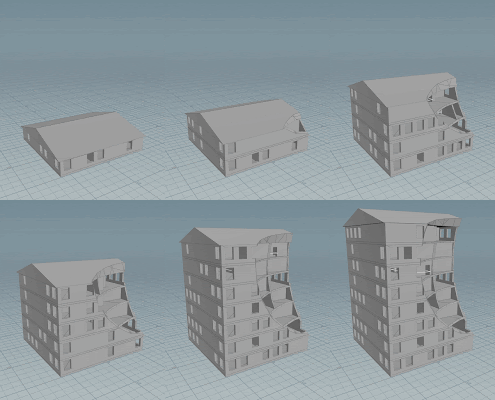
Bottom floor has painted rooms, rest is auto generated. This kinda concludes this phase, it merges the solver with a paintable interface, letting the tool gradually go from manual to automatic control. Normally this is the the time for feedback but in the absence of such it's instead deliberation. 

Room paint tool

Image
Paint tool for users to manually place rooms. These can then be combined with automatically placed ones. 

House preview geo

Image
Added some symbolic geo for windows/doors/roof before wrapping it all up to a tool. 

connectivity graph v2

Image
Connectivity can use previously placed paths, thus skipping adding more doors if there's an existing path. Here the top right room doesn't need to add a door to hallway as it can use the center public room's access. 

floor plan geometry

Image
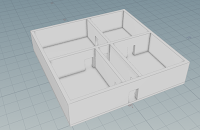
Floor plan as geometry. Joining this to a facade tool I got should make a good base for presentation material. 

Room Connectivity Paths

Image
Connectivity graph converted to paths, these can now be directly used to place doors. 

rooms connectivity graph v1

Image
Rooms can now be connected through other rooms if these are set to "public" (as oppose to "private"). Utilizing this information I can now place doors between connected rooms. 

room expansion v5

Image
Convex expansion with multiple rooms.